
collaborators
I primarily led the design and development on this project, and Emily led the research and user testing portions.
Guidelight
I primarily led the design and development on this project, and Emily led the research and user testing portions.
Guidelight is a navigation app designed for people with mobility disabilities,
providing accessible directions seamlessly between both exterior and interior spaces.
Existing navigation apps often don't provide safe and efficent step-free
routes, and accessibility features that buildings have are usually missing or unlabeled. This causes the
accessible routes that these apps can provide to be inefficient, overly long, or even unsafe.
Guidelight allows users to use a single app to navigate the entire journey, from one room in a building
to another, without having to worry about the route being unsafe or inaccessible.
2025
timeline
12 weeks
ui/ux design
school
collaboration with
Emily Lau

Figma, Illustrator, Xcode, SwiftUI
Through our research, we identified three primary problem areas that people with mobility disabilities face when navigating using existing navigation apps:
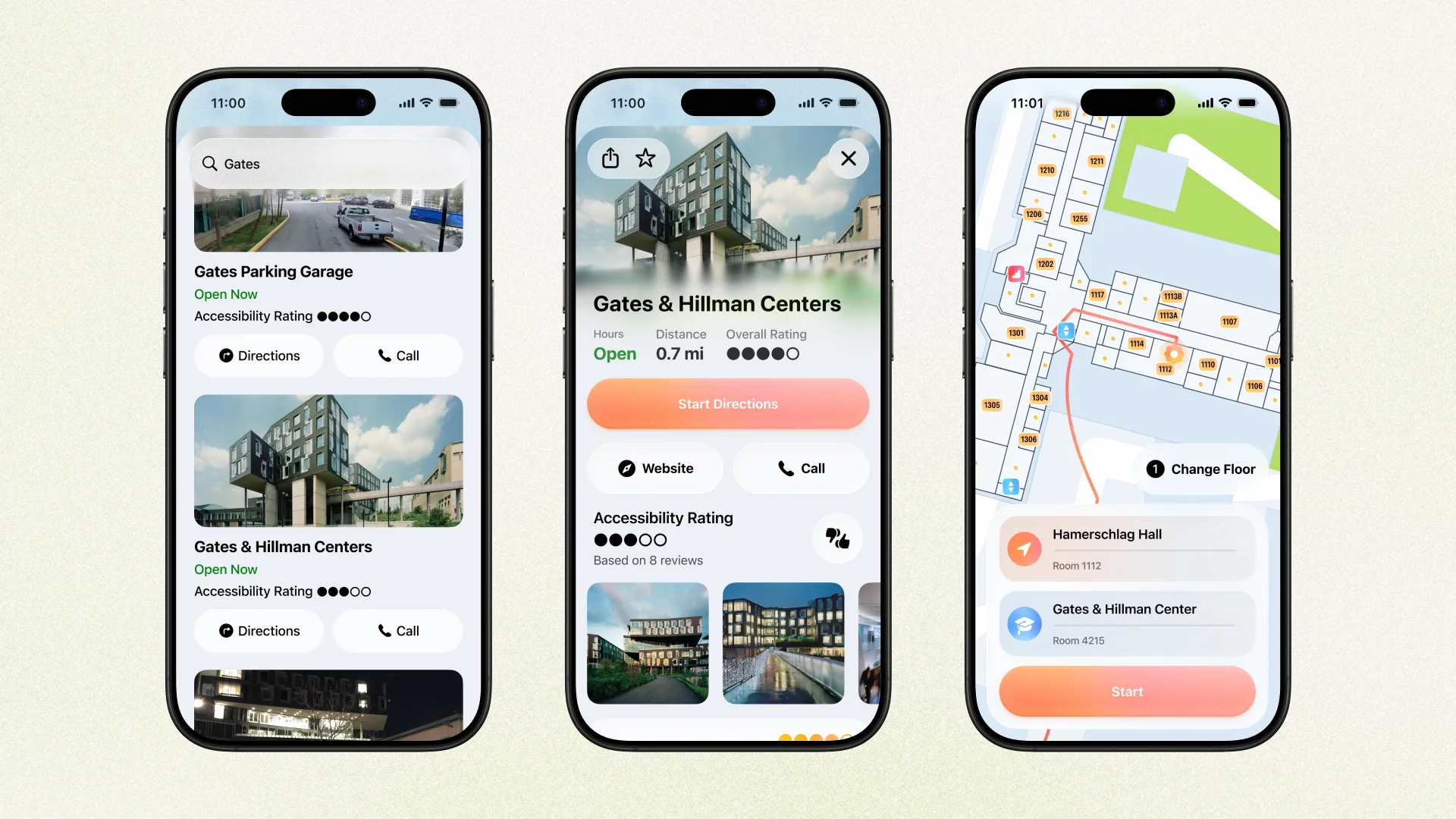
One of our goals was that for navigation that doesn't require cars or transit, that Guidelight could be used as your primary navigation app. Besides the expected location information available, like reviews and photos, Guidelight also has a crowdsourced accessibility rating to help users know how accessible a place is before they even get there.
The route setup screen is similar to other navigation apps, with the ability to choose a specific room number (or store aisle, a store in a mall, an airport gate, etc.) to navigate to and from. Guidelight shows building floorplans when relevant, and will try to estimate which floor the user is on, with the ability to switch floors if needed.
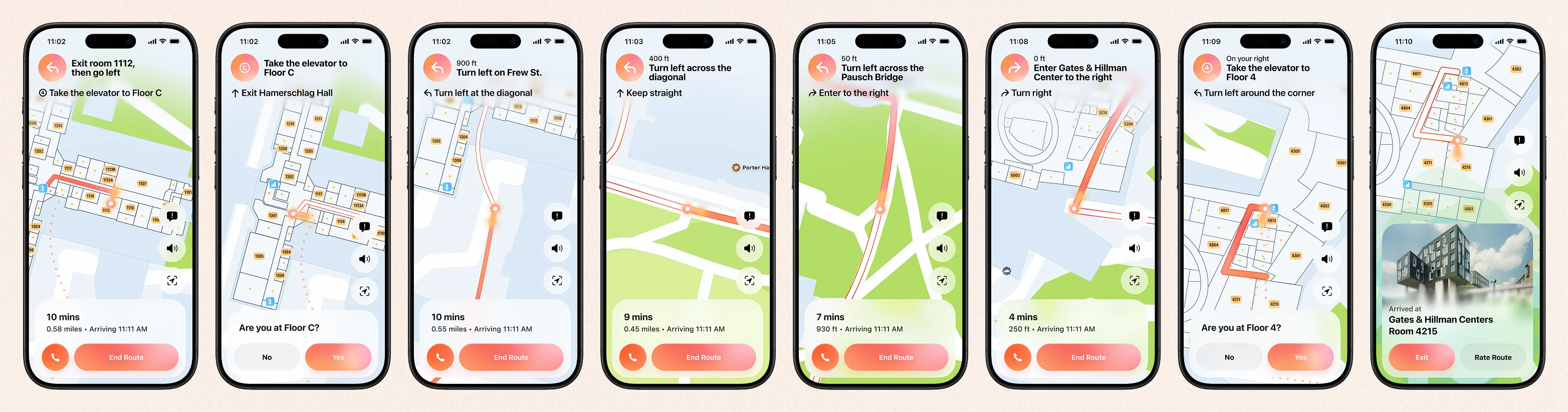
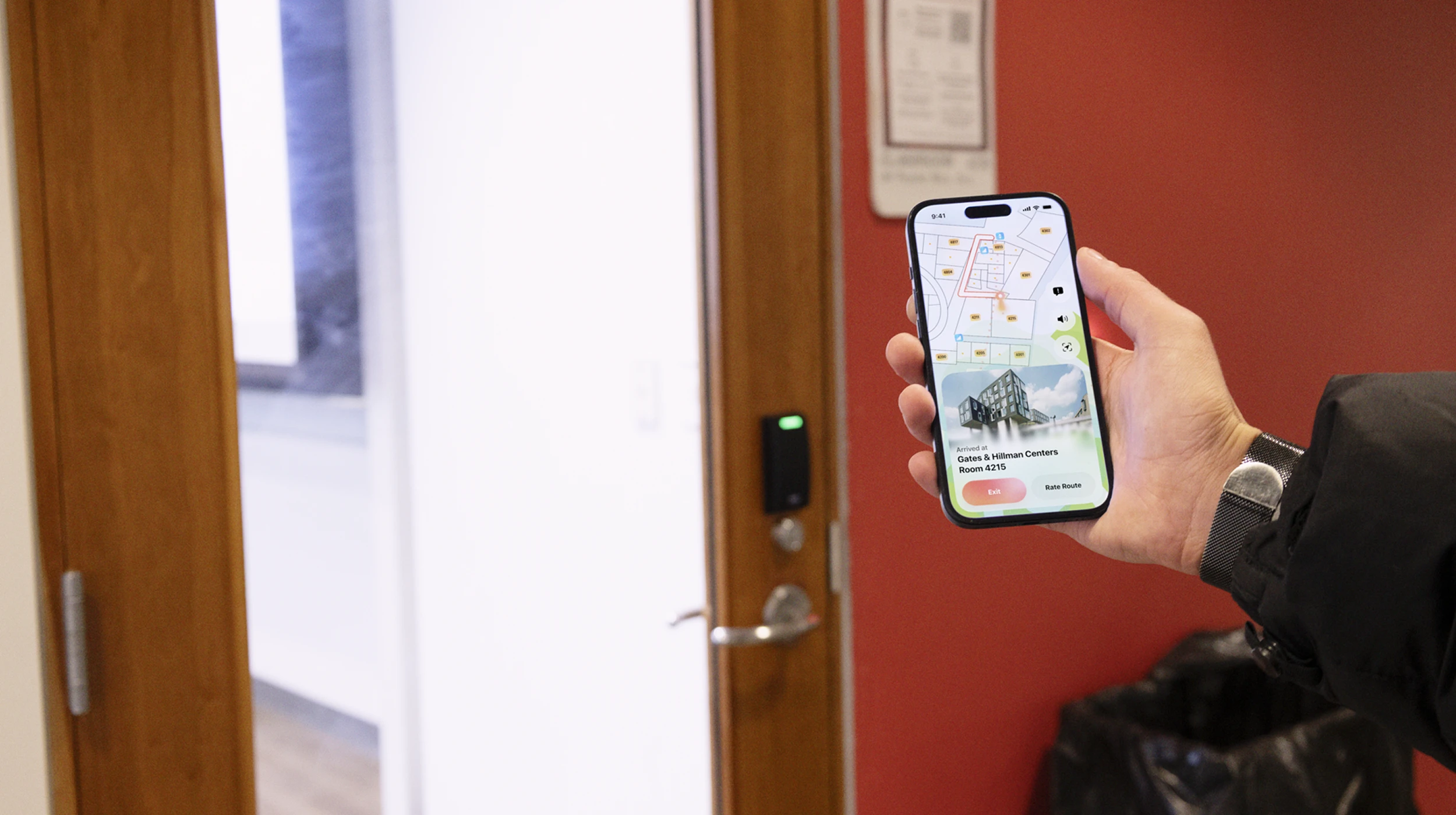
The main routing experience is the same as other apps, with the primary difference being able to move through indoor and outdoor spaces. Guidelight having detailed floorplans lets it know the best entrances and exits to use, and how to avoid stairs and other permanent obstacles.
Navigation between indoor and outdoor spaces is seamless, automatically guiding users through the most efficient entrances and exits. This is made possible by having access to detailed interior data that other apps don't have, instead being scattered across company websites and static pdfs.
Elevators require the app to know for sure that the user made it to the correct floor, causing problems with automatc navigation if they did not. Guidelight explicitly prompts the user to confirm that they arrived to the right floor, rerouting if they did not,
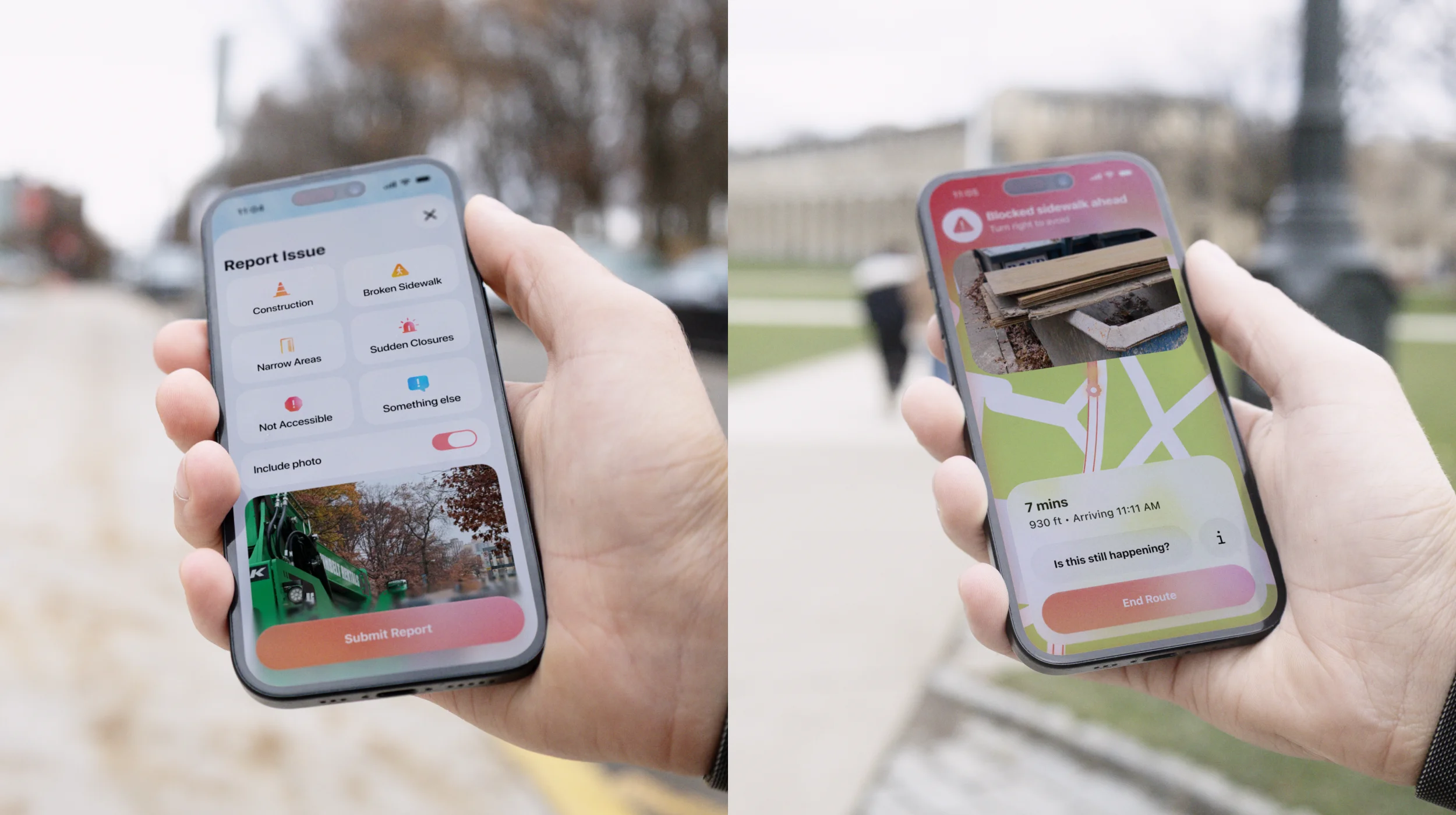
Temporary barriers like construction, blocked elevators, broken sidewalks, and more constantly change, and do not appear on existing navigation apps, but make trips much more difficult for wheelchair users, forcing people to guess a safer route and causing them to backtrack.
Guidelight's reporting system allows users to report a blocked path, and optionally include a photo of the block to show as an alert for other users.
When other users encounter a reported block, Guidelight's screen is taken over with an alert and instructions to reroute. The app also asks whether the block is still happening, turning off the alert for the next users if the problem has been resolved.
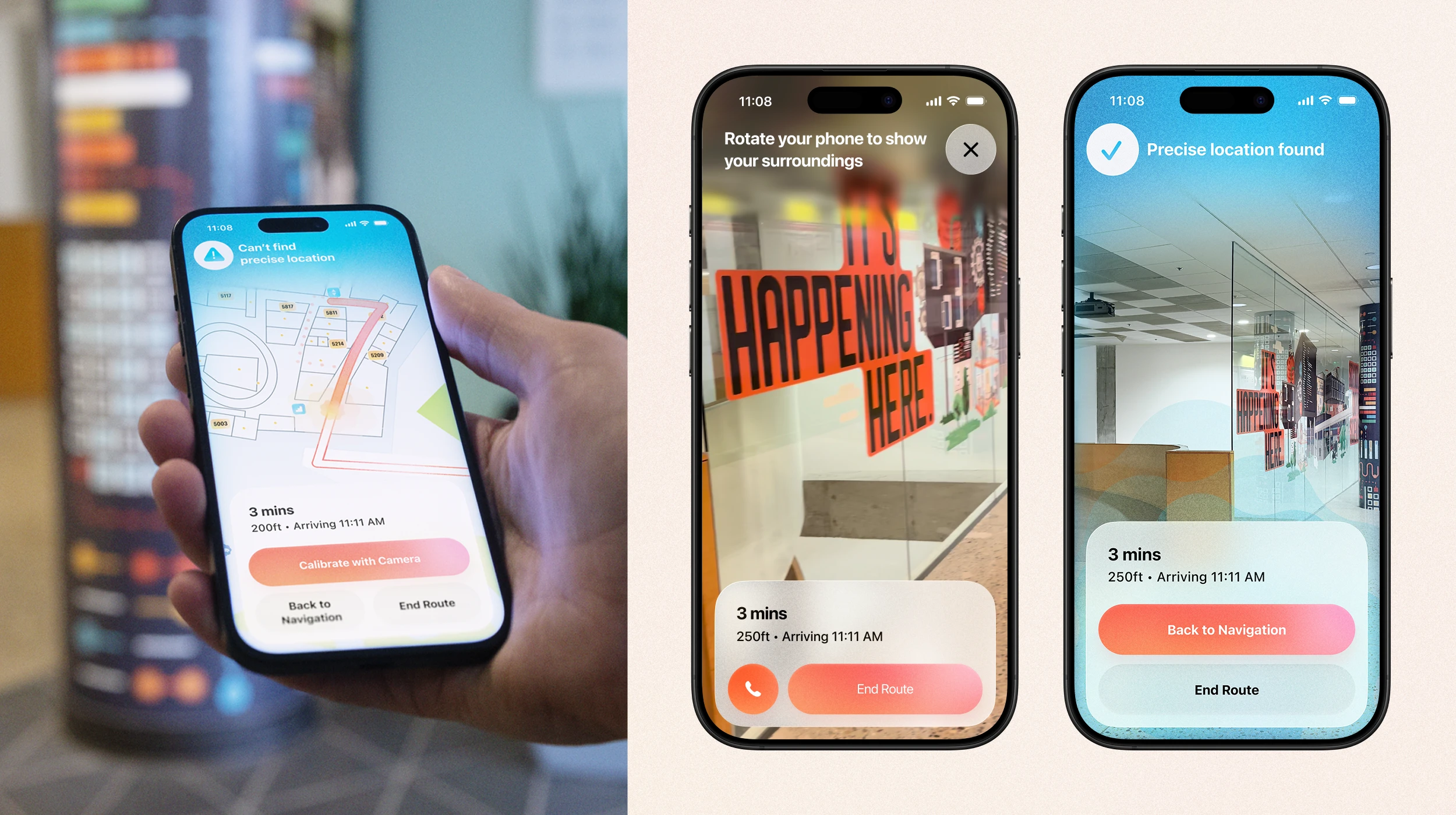
When entering a building, it can take a moment for the app to get the user’s precise location. One solution is calibrating with the camera when GPS or beacons lose accuracy. When Guidelight loses location accuracy, it prompts the user to calibrate their location by rotating their phone to let the camera pick up visual features like signage and match them to the building layout. Once enough data is collected, the screen confirms the location and the user returns to navigation.
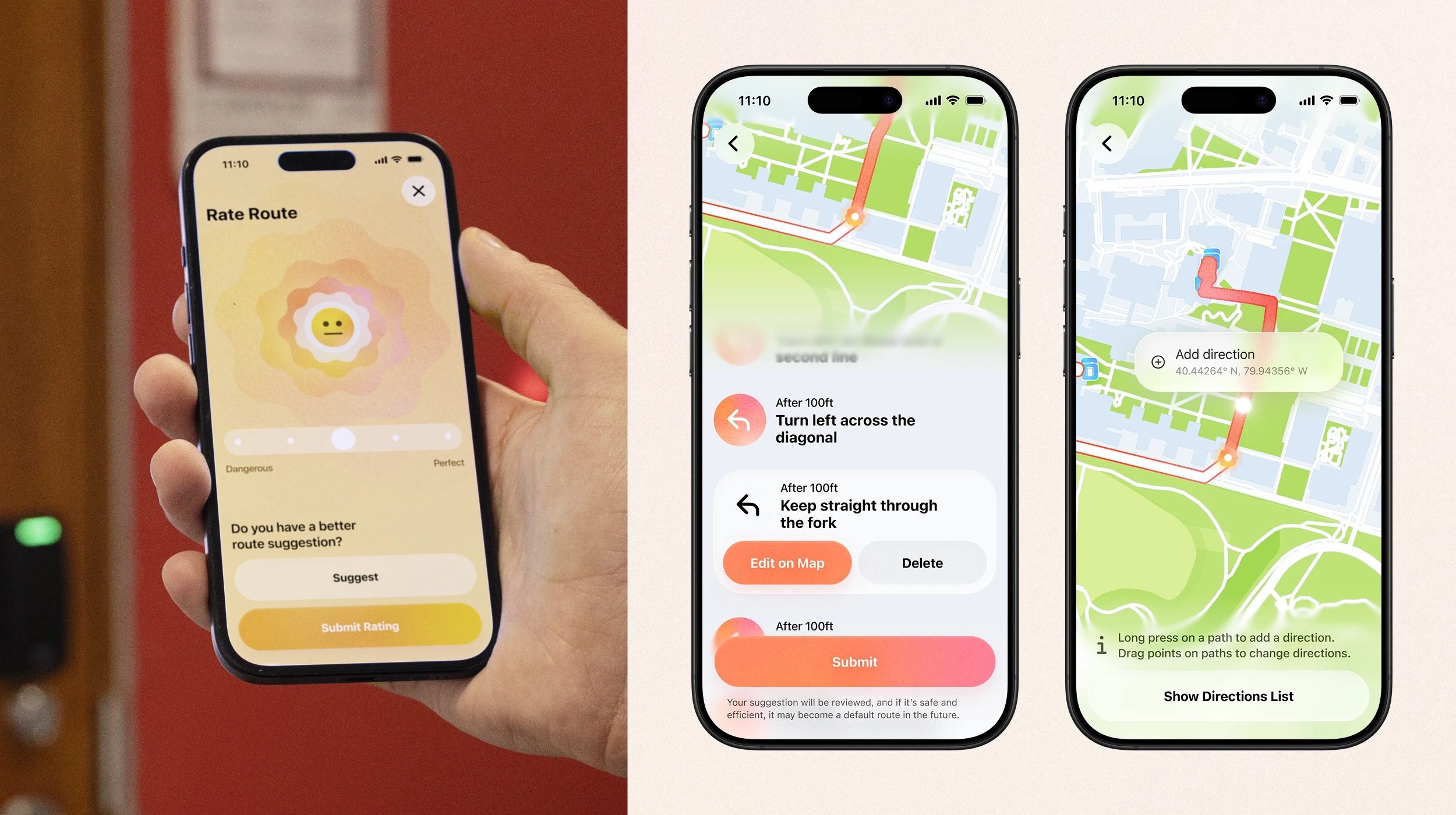
Once the user has arrived at their destination, they can to rate how efficient and safe they thought the route was. Users can also submit a suggested route if you happen to know a better one that's still accessible, which can be edited either by tweaking the existing directions or deleting them, or by adding coordinates with instructions on a map view.
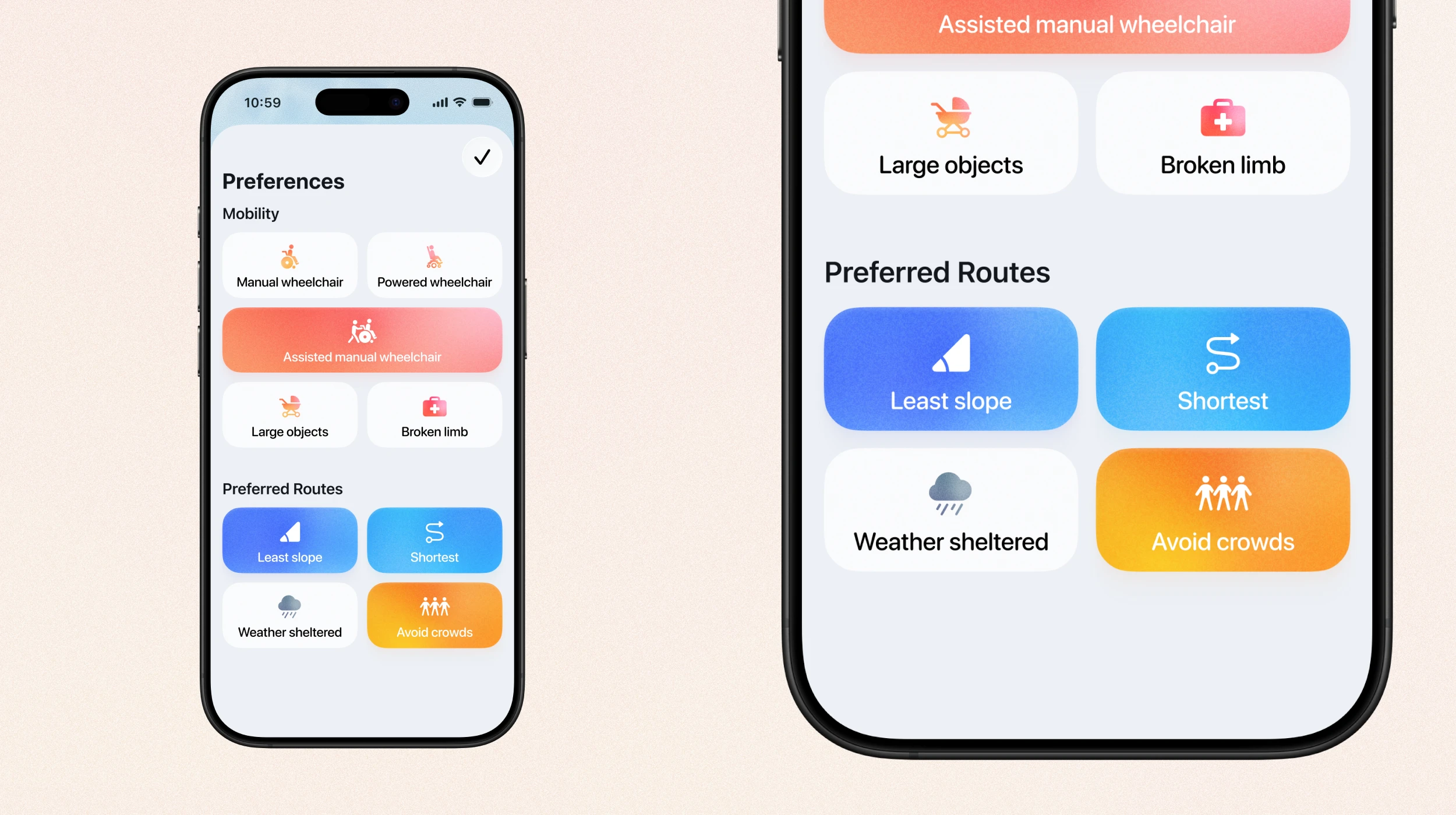
Everyone has different mobility needs and preferences, and Guidelight's preferences screen takes that into account. You can set a wheelchair type, or other kinds of mobility impairments, and the app tailors routes based on that. For example, if you use a powered wheelchair, there's paths that may be more efficient that you could safely go through, but a person using a manual wheelchair might not be able to because the slope is too high.
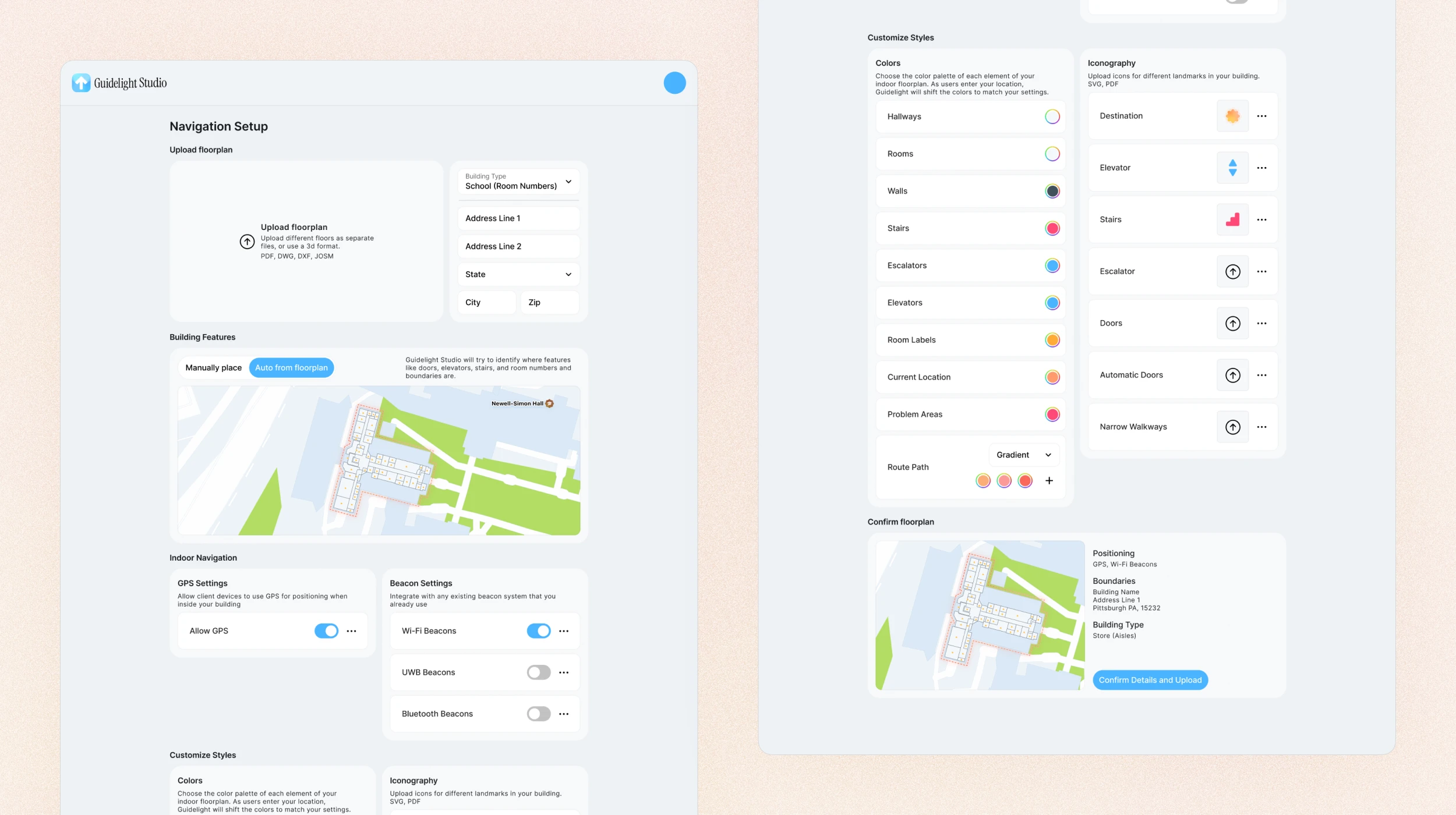
Guidelight depends heavily on having access to accurate interior data, something that is rarely publicly available. Our solution to getting indoor data is Guidelight Studio, a platform for stores, malls, institutions, airports, and more to upload and tag their floorplans. It allows them to set up what kinds of navigation to use, from GPS to various kinds of beacons (wifi, bluetooth, and ultra-wideband) that many places are already using for their proprietary solutions. Additionally, Guidelight Studio allows companies to customize the color palettes of their maps - for example they can set the route path to a brand color, and they can add their own icons for things like aisles in a store or logos in a mall.
We couldn't access indoor data for our live demo app, which we built using MapKit, mostly to help visualize how the route following experience would work. It's fairly limited, but the preparation for the demo also helped us figure out how the instructions should be worded and at what coordinates they should appear at, both for the final app and the other screens.